Managing MCP tool list
Fixter exposes everything it can do as MCP tools, 68 of them at the time of writing (see MCP tools). A debugging session uses 29 of them. This page explains why a long tool list has a cost, and how to shorten it per user from User settings > Tools in the app without losing access to anything.
Why hide tools
Section titled “Why hide tools”Most MCP clients send every tool they know about to the model with every turn: the name, the description and the parameter schema. Three things follow from that.
Context
Section titled “Context”In clients that load every schema up front (Cursor, Claude Desktop and most agent frameworks), the full Fixter tool list is about 25,600 tokens of tool definitions before you type a word. On a 200,000-token context window that is 13% of the session. The Debugging preset cuts it about in half, Setup by a third, and a query-only selection takes it down to about a quarter.
| What the session sees | Tools | Tokens (approx.) |
|---|---|---|
| Everything (preset All) | 68 | 25,600 |
| Preset Setup | 50 | 16,600 |
| Preset Debugging | 29 | 13,000 |
| Only Telemetry and querying | 11 | 7,300 |
Measured with the cl100k tokenizer over the server’s tools/list response;
Anthropic’s tokenizer differs somewhat. Claude Code is the exception: it keeps MCP
tool schemas behind its tool search and fetches a schema on demand, so there the list
costs about 700 tokens whatever you hide, and the context argument does not apply. The
next two reasons do.
Tool choice
Section titled “Tool choice”Several Fixter tools are near neighbours by design: suppress_signal,
manage_suppression_rule and create_ignore_rule each silence something different.
The more of those an agent can see, the more it has to tell apart on every call, and a
wrong pick costs a turn or a clarifying question. Hiding the tools a task never needs
removes the wrong answers from the menu. This applies in every client, including Claude
Code.
Accidents
Section titled “Accidents”A session debugging a failure has no reason to see delete_dashboard,
remove_alert_channel or delete_api_test. Hiding them is not a permission, but it
removes the chance of an agent calling one by mistake.
The effect compounds when Fixter is one of several servers in the same client: each server adds its own list, so each server’s share is worth trimming.
Where it is
Section titled “Where it is”-
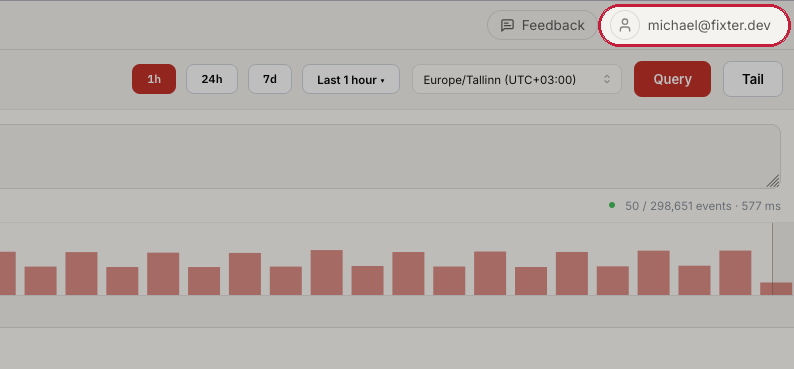
In the app, open the account menu at the top right (the button shows your email) and choose User settings.
-
In the dialog, pick Tools under MCP. The header shows how many tools are active, such as
68/68 tools active.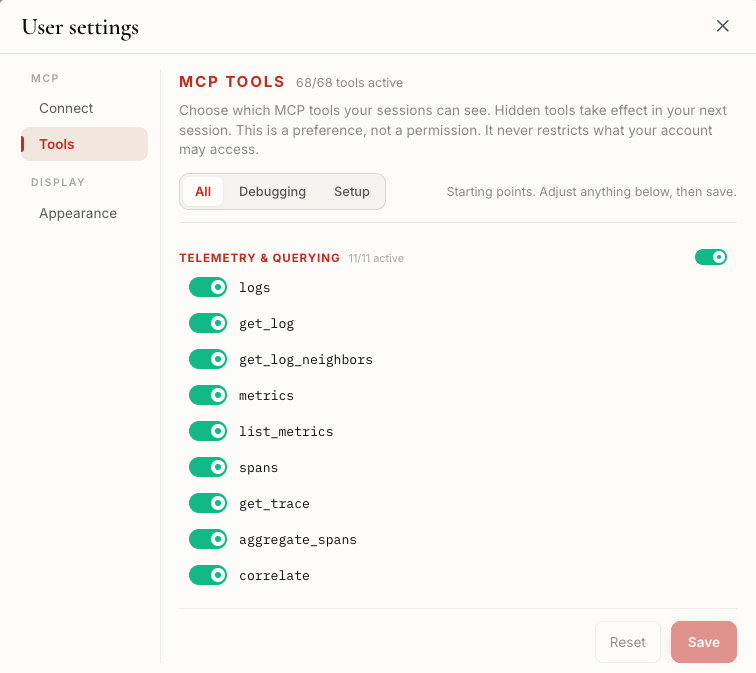
How to use it
Section titled “How to use it”The panel is a personal preference: it changes which tools the Fixter server shows your sessions, and nothing else. A hidden tool cannot be seen or called by your agent, nothing is revoked, colleagues are unaffected, and if the preference cannot be read every tool shows. Pick a preset, adjust, save, start a new session.
- Pick a preset from the row at the top. It fills in the switches below as a
starting point; nothing is saved yet.
- All: every tool, including tools Fixter ships later.
- Debugging: read telemetry, triage issues, silence an alert, work an investigation, check API tests. No authoring or deleting.
- Setup: configure rules, dashboards, channels, credentials, API tests and keys, plus the four querying tools you need while authoring.
- Adjust. Each group has a switch (on while any of its tools is on; click to turn the whole group off, or on when none are) and each tool has its own. The groups are the headings of the MCP tools reference; the app writes ”&” where this site writes “and”.
- Save. The button enables once something differs from what is stored; Reset discards. The header counter shows the new active count.
- Start a new session. The list is read when your client connects, so the current
session keeps the old one. In Claude Code, exit and run
claudeagain. Allow up to a minute.
How you know it worked: ask the agent in the new session to list its Fixter tools. The count matches the header in the app.
Two things to know before trimming:
- Debugging and Setup are allow-lists, so a tool Fixter adds after you saved stays hidden until you pick a preset again or switch it on. All hides nothing. A new tool that no group names yet appears under Other tools at the bottom.
- The Claude Code plugin’s skills call these same tools.
/fixter:onboardneeds the Account tools and alert setup needs the Alerting tools, so switch to All or Setup before running them. The app itself never goes through MCP and is unaffected.